Make an exercise with Bretho Bud
Bretho Bud runs on your iPhone with Apple Intelligence. It needs an iPhone that supports Apple Intelligence, with Apple Intelligence turned on.
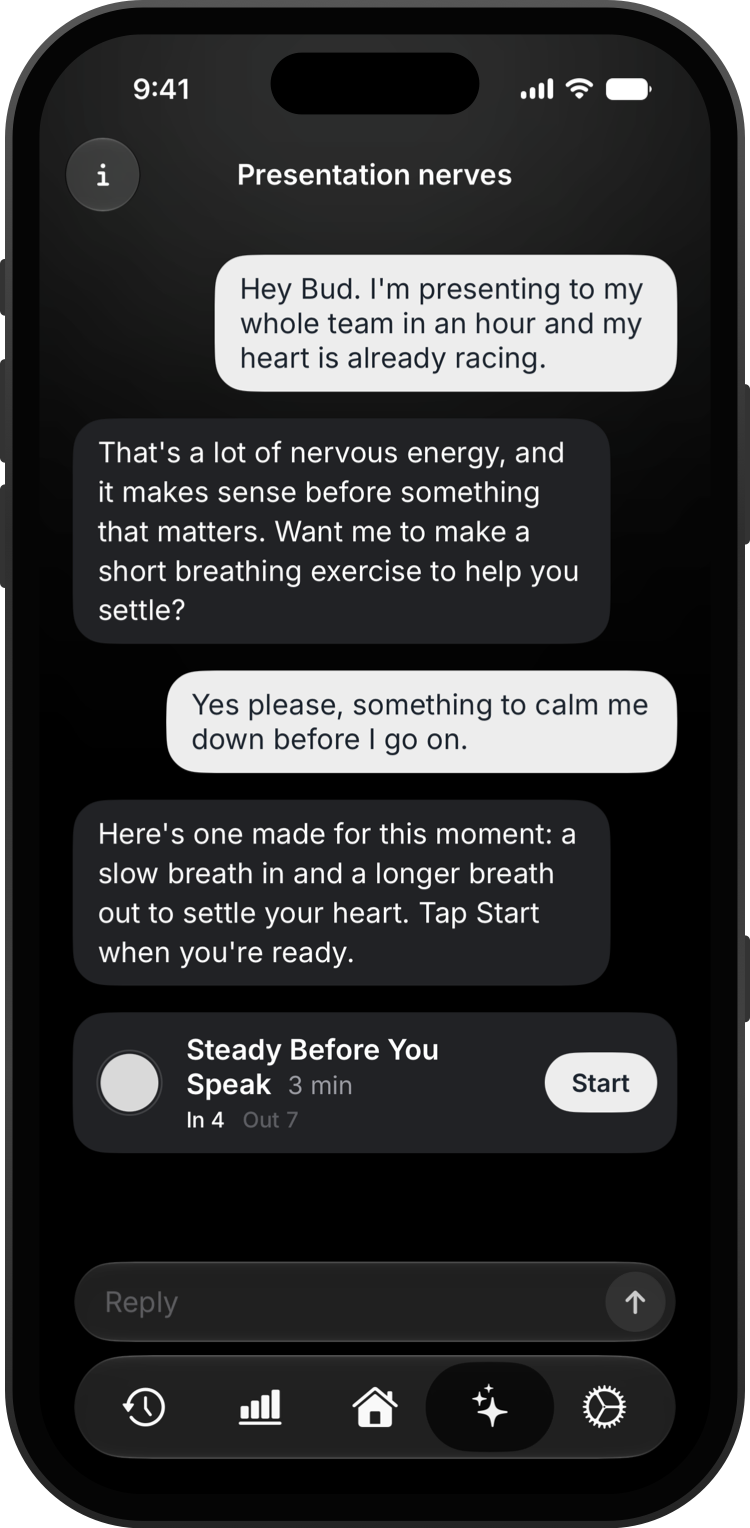
Open the Bretho Bud tab, the sparkles at the bottom of the screen.
Tell Bud how you're feeling, or ask for exact timings like "inhale 4, hold 4, exhale 6". Bud makes the exercise and shows it as a card.
Tap Start on the card to begin. The card stays in the chat, so you can start it again later.
To find an earlier chat, tap the info button in the top-left corner, then Chat History.
Good to know
- Your messages never leave your iPhone. Chats only sync to iCloud if you turn that on.